5 Secrets to Writing with Chat GPT (Use Responsibly)
Discover the most powerful ChatGPT writing prompts and techniques to improve your writing, research, editing, grammar, vocabulary, and content creation. Learn how to use ChatGPT as an AI writing assistant with practical prompt formulas, rewriting techniques, outlines, professional editing, and creative writing strategies. Unlock the full potential of ChatGPT and combine AI with your own creativity, knowledge, and intuition.
 Tamim
Tamim
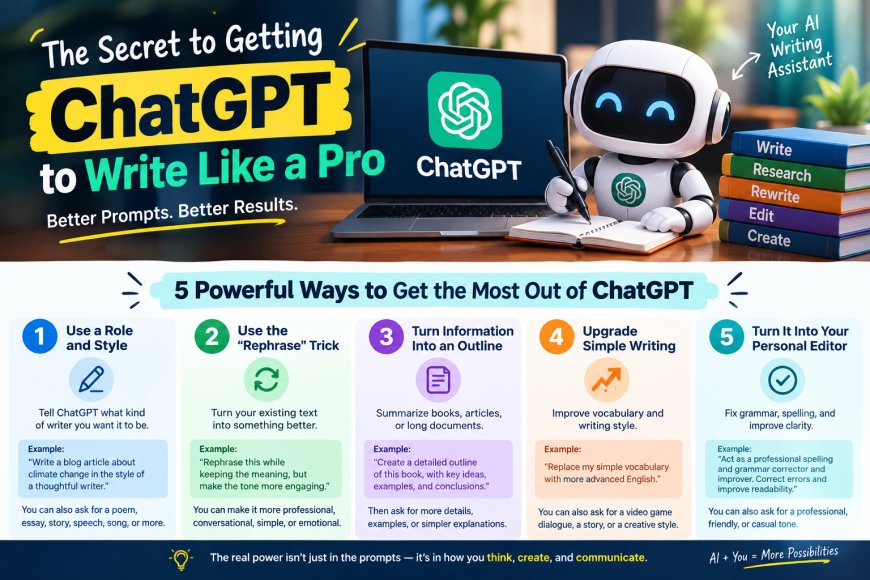
The Secret to Getting ChatGPT to Write Like a Pro
Imagine having a writing assistant who never gets tired, can process enormous amounts of information, and is available whenever inspiration strikes.
That is essentially what ChatGPT can become.
But here’s the catch:
Most people are barely scratching the surface.
They ask:
“Write me an essay about technology.”
And when ChatGPT gives them a generic answer, they assume that’s all AI can do.
It isn’t.
The real power comes from how you communicate with it.
Think of ChatGPT like a highly capable assistant. The better instructions you give it, the more useful the result becomes.
And once you understand a few simple prompting formulas, you can turn an ordinary request into something far more powerful.
1. Don't Just Ask It to Write — Give It a Role and a Style
One of the simplest ways to improve your results is to tell ChatGPT what kind of writer you want it to be.
Instead of:
“Write an essay about climate change.”
Try thinking in a formula:
Create [type of content] about [topic] in the style of [style or author].
For example:
“Write an essay about climate change in the style of a thoughtful literary writer.”
Or you could change the content type entirely.
Instead of an essay, ask for:
-
A poem
-
A blog article
-
A speech
-
A story
-
A song
-
A dialogue
-
A newsletter
And instead of simply saying “professional,” you can describe the characteristics you want:
“Write this as a conversational, humorous, emotionally engaging article with short sentences and vivid examples.”
That last part is important.
Don't think of prompts as questions. Think of them as instructions for directing a creative collaborator.
2. The “Rephrase” Trick
Here's another incredibly useful technique.
Suppose you've written something, but it doesn't sound the way you want.
You don't necessarily need to start over.
Give ChatGPT the original text and ask:
“Rephrase this while preserving the original meaning, but make the tone more engaging and natural.”
Suddenly, the same idea can sound completely different.
You can ask it to make your writing:
-
More conversational
-
More professional
-
More persuasive
-
Simpler
-
More emotional
-
More concise
-
More sophisticated
-
More humorous
But there is an important distinction:
Rephrasing should help you improve and transform your own work—not disguise someone else's writing as your own.
AI makes transformation easy, but originality and responsible use still matter.
3. Turn Huge Amounts of Information Into an Outline
Now imagine you've just finished reading a 300-page book.
You understand the general idea, but you can't remember how everything connects.
Instead of rereading the entire book, you can ask ChatGPT to help organize information you've provided.
For example:
“Create a detailed outline of this text, separating the major ideas, supporting arguments, examples, and conclusions.”
This works particularly well for:
-
Books
-
Articles
-
Meeting transcripts
-
Research notes
-
Lectures
-
Interviews
-
Long documents
And here's where it gets even more useful.
Once you have the outline, you can go deeper.
Ask:
“Elaborate on point 2.”
Then:
“Give me three examples.”
Then:
“Explain this as if I were 12 years old.”
Then:
“Turn this section into a five-minute presentation.”
You're no longer simply asking AI for an answer.
You're using it as a tool for navigating information.
4. Upgrade Simple Writing
Here's a surprisingly powerful use case, especially for students and anyone learning English.
Imagine someone writes:
“Yesterday I went to school. It was really fun. Me and my friends had lunch and then we played cards.”
Instead of simply correcting the mistakes, ask ChatGPT:
“Replace my simple vocabulary with more advanced English while keeping the original meaning.”
You might get something like:
“Yesterday, I visited the school. The experience was quite enjoyable. My friends and I shared a meal together, after which we engaged in a game of cards.”
Now you can take it one step further.
Ask:
“Now rewrite it as dialogue from a video game.”
The same basic story suddenly has a completely different personality.
This is one of the best ways to learn because you're not just being told that your writing could be better.
You're seeing an example of how it could be better.
5. Turn ChatGPT Into Your Personal Editor
And now we get to one of the most useful prompts of all.
Try:
“Act as a professional spelling and grammar corrector and improver. Correct errors while preserving my original meaning and improve clarity and readability.”
Then paste your writing.
ChatGPT can help identify:
-
Spelling mistakes
-
Grammar problems
-
Awkward sentences
-
Repetition
-
Poor word choices
-
Unclear phrasing
-
Inconsistent tone
And you can customize the instruction.
For example:
“Correct the grammar but keep my casual tone.”
Or:
“Improve this email so it sounds professional but friendly.”
Or:
“Make this paragraph clearer without making it sound overly formal.”
This is where AI becomes genuinely useful as a writing partner.
The Secret Is the Formula
Here's the bigger lesson behind all of these examples.
You can think of many prompts as combinations of simple building blocks:
Act as + role + task + context + style + constraints
For example:
“Act as a professional editor. Rewrite the following article for a beginner audience. Keep the tone conversational, use simple language, preserve the key ideas, and organize the information with clear headings.”
That's far more specific than:
“Make this better.”
And specificity is often what separates a mediocre AI response from a useful one.
The Human + AI Advantage
Here's the part that matters most.
AI has access to an enormous amount of learned information and can generate, organize, transform, and analyze text incredibly quickly.
But humans bring something different.
Judgment.
Experience.
Emotion.
Context.
Creativity.
Common sense.
The goal isn't to replace those qualities.
The goal is to combine them.
You bring the ideas, intuition, experience, and direction.
AI helps you brainstorm, organize, rewrite, analyze, and experiment.
Together, you can often accomplish much more than either one alone.
Five Prompts Can Open the Door to Hundreds
The interesting thing is that these aren't really five isolated tricks.
They're templates.
Once you understand the underlying structure, you can modify them for almost anything.
Act as a [professional].
Write [content type] about [topic].
Rewrite this in the style of [desired characteristics].
Create an outline of [information].
Improve this while preserving [specific constraint].
Change the variables, add context, combine multiple instructions—and suddenly you have hundreds of possible workflows.
That's when prompting becomes less about finding the “magic prompt” and more about learning how to communicate with AI effectively.
And that is the real skill.
You don't need to become an AI expert overnight.
Start with one prompt.
Experiment.
Change the instructions.
Compare the results.
Then keep what works.
Because the people who get the most value from AI aren't necessarily the people who know the most complicated prompts.
They're the people who learn how to think clearly about what they want—and communicate that clearly to the machine.
Use these tools responsibly, keep your own judgment in the process, and treat AI as a collaborator rather than a replacement for your thinking.
That's where the real advantage begins.